Google Photos updates offer new vintage styles and AI tools, enhancing photo editing and organization for users this summer.
Google Photos is enhancing its editing capabilities just as we capture our summer memories. With a recent update that brings together stylish new filters and advanced AI features, the app aims to offer users an improved experience when editing and organizing photos. As social media continues to dictate the speed at which we share our experiences, apps like Google Photos must keep pace and provide tools that simplify and elevate this creative process.
As of September 24, the update includes integration with Gemini Spark, providing subscribers with a streamlined method for photo editing. Users in the U.S. can utilize prompts to brighten and share images effortlessly while also removing unwanted elements from the background. This functionality reflects Google's intent to create an intuitive editing experience. But does a more user-friendly interface genuinely translate to better photos? It remains to be seen how these changes will affect user engagement and overall satisfaction with the app.
Introducing Moods
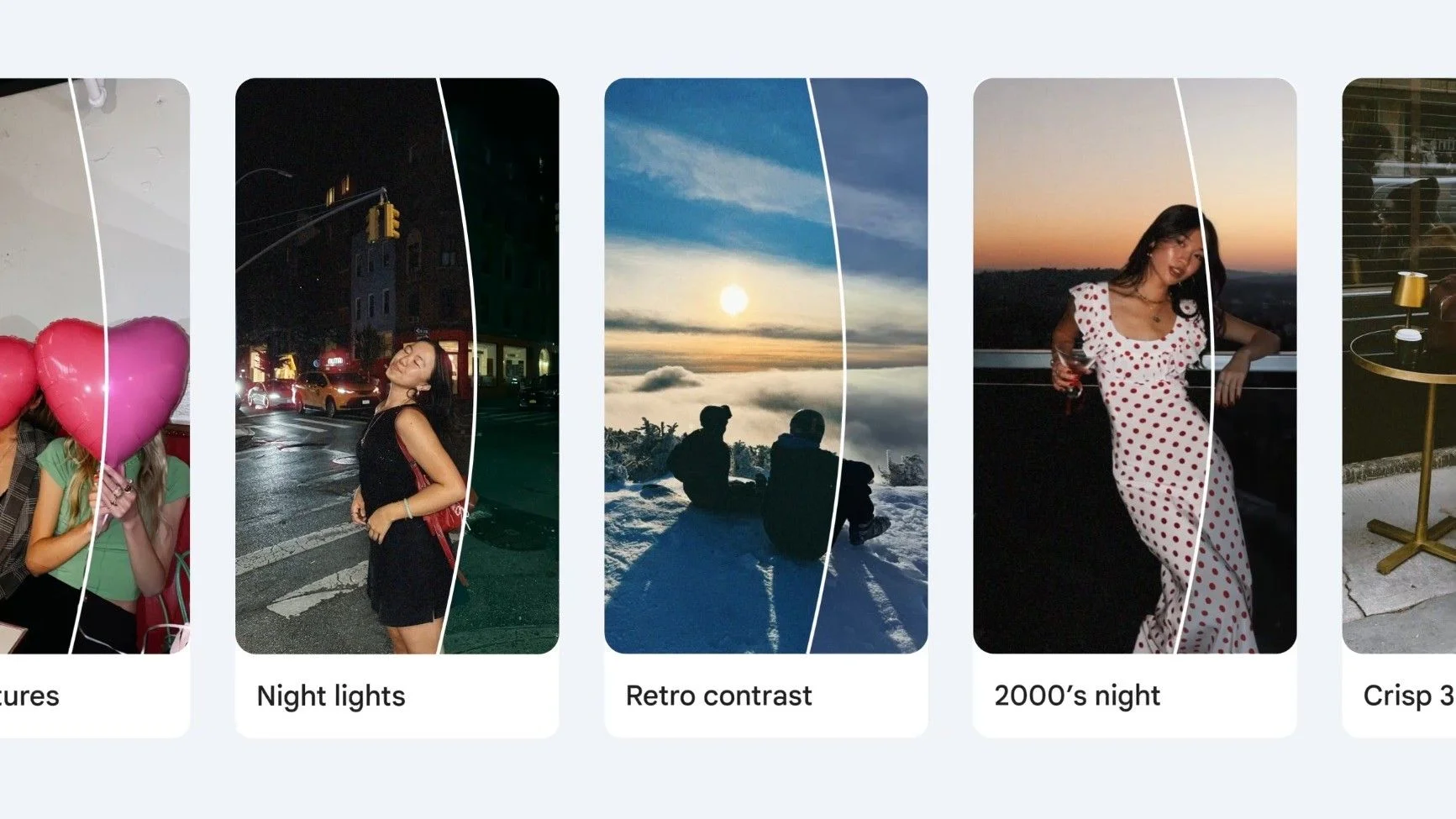
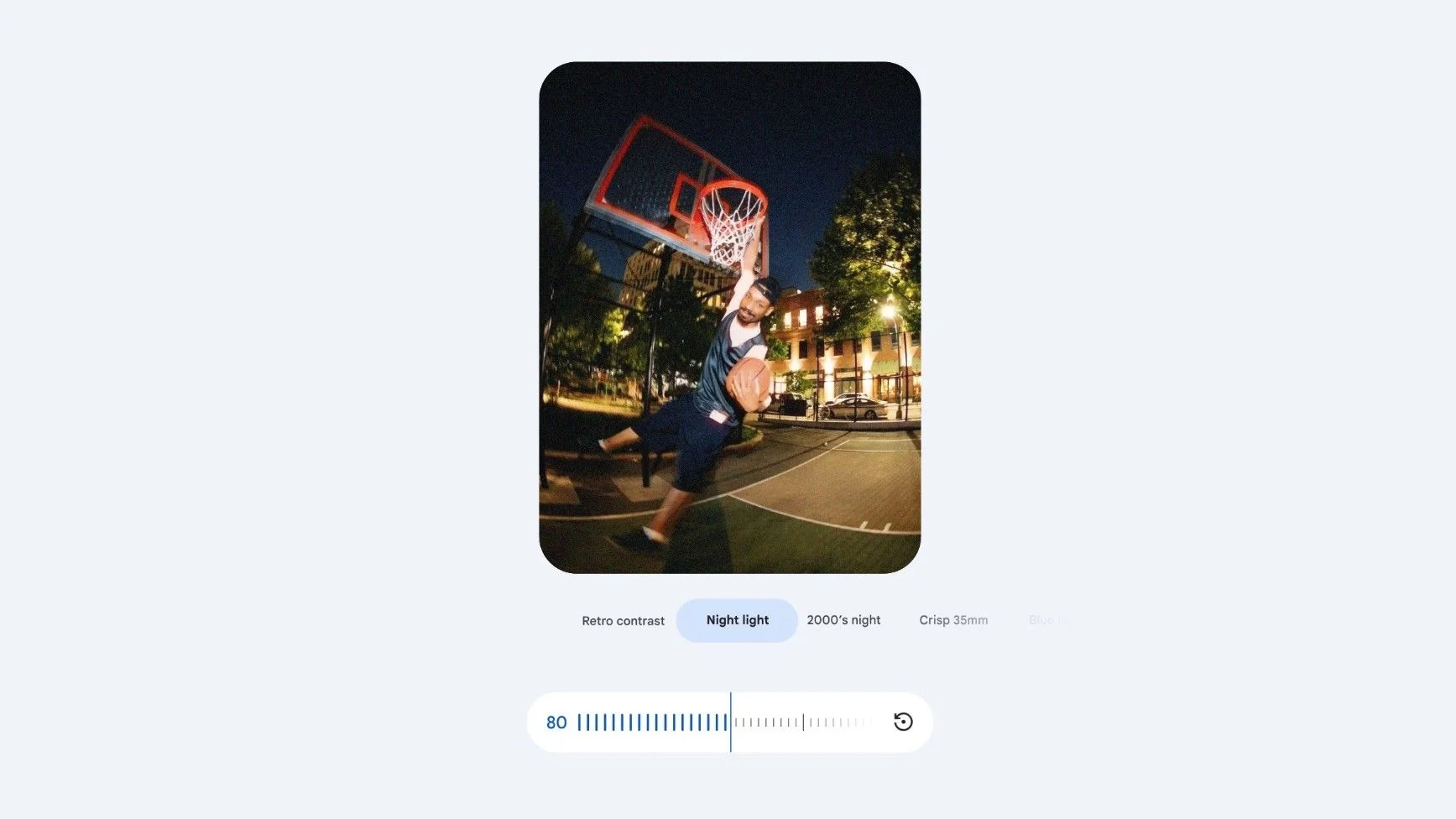
Among the most exciting features in this update is the "Moods" section, which introduces users to a collection of vintage styles designed to transform their photos. Google emphasizes that Moods go beyond traditional filters. Styles like 35mm film and 2000s digital camera effects allow for a nostalgic reinterpretation of images. The choice to invoke retro styles may resonate well with younger audiences who seek to mimic the aesthetic of older photography while also attracting users who have a fondness for nostalgia.
The Moods feature adapts automatically based on the characteristics of the photo. This adaptive style application is indicative of trends in AI development, where machine learning techniques analyze images to achieve nuanced results. Users can further customize their edits, using sliders to regulate the strength of the applied style and blending it with other themes for a unique outcome. This feature is rolling out to Android users worldwide, allowing broader access to retro-inspired editing. If you're working in this space, you'll recognize that nostalgia can tap into deeper emotional connections, making this update more significant than it looks on the surface.
Enhanced Markup and Remix Features
In addition to Moods, the update includes improvements to the markup tool, now featuring a "redact pen" for blurring sensitive information. This enhancement highlights Google's attention to privacy concerns, an increasingly relevant issue in our digital age. Users will also find new thickness sliders for sketches and a selection of fresh fonts aimed at enhancing text clarity within images. These updates make it easier to convey messages through visuals, enhancing the storytelling aspects of photography.
Moreover, Google has rolled out 15 new Remix templates. These templates allow users to transform their photos into creative formats, including photo booth-style shots and personalized birthday cards. This shift indicates a trend where photo editing apps are not just repositories for pictures but are evolving into platforms for creative expression. The rollout of these features extends to Android users globally and to iOS users in select countries. As social sharing increases, users are seeking more dynamic and tailored ways to present their memories and milestones; hence, this capability aligns with current user desires.
Wardrobe Feature Expansion
Another notable addition is the expansion of the Wardrobe feature, which allows users to curate a digital wardrobe by cataloging clothing items. This feature is now available for Android and iOS users in markets including the U.S., India, and Brazil. As personal style continues to gain traction on social media, integrating wardrobe management into a photo app reflects a synergistic approach to user engagement.
Wardrobe builds on the functionality introduced earlier this year, allowing users to identify clothing items and plan outfits through the app. This could simplify outfit coordination, direct-to-consumer experiences are on the rise, and providing a digital stylist experience helps you visualize clothing without the hassle of conventional try-ons. (and this is the part most people overlook) Users are increasingly turning to technology as a solution for everyday challenges, and this feature embodies that shift.
Finally, Gemini Spark, which launched in May, continues to enhance user experience by automating tasks across various Google apps like Gmail and Docs. By managing workflows in the background, Spark serves users as a digital assistant, enabling quick access to meeting summaries and other essential information. While the integration here is fascinating, there's always a lingering concern: how much of our digital lives should be left to automation? Google seems to be betting heavily on automation, but at what cost to user agency?
Implications and Future Outlook
These updates reflect Google’s commitment to enhancing the user experience in Google Photos, making photo editing not just simpler but also more creatively fulfilling. Yet, the pressing question is whether these features can sustain user interest in an arena that continually evolves.
As more users flock to visual-first platforms, the demand for user-friendly yet sophisticated editing tools will only increase. If Google continues to innovate in the areas of AI-enhanced editing and personalized features, it stands a good chance of retaining and even expanding its user base. However, competitors are not resting. Other companies are likely to respond with their own innovations. This could lead to a photo editing arms race, where each update aims to outshine the last. The next few months will be telling—will Google maintain its edge?

Discussion
Sign in to join the discussion.