Google Messages is updating its interface with improved gesture controls and a more accessible long-press menu for a smoother messaging experience.
Google Messages Updates: Enhancing User Interaction
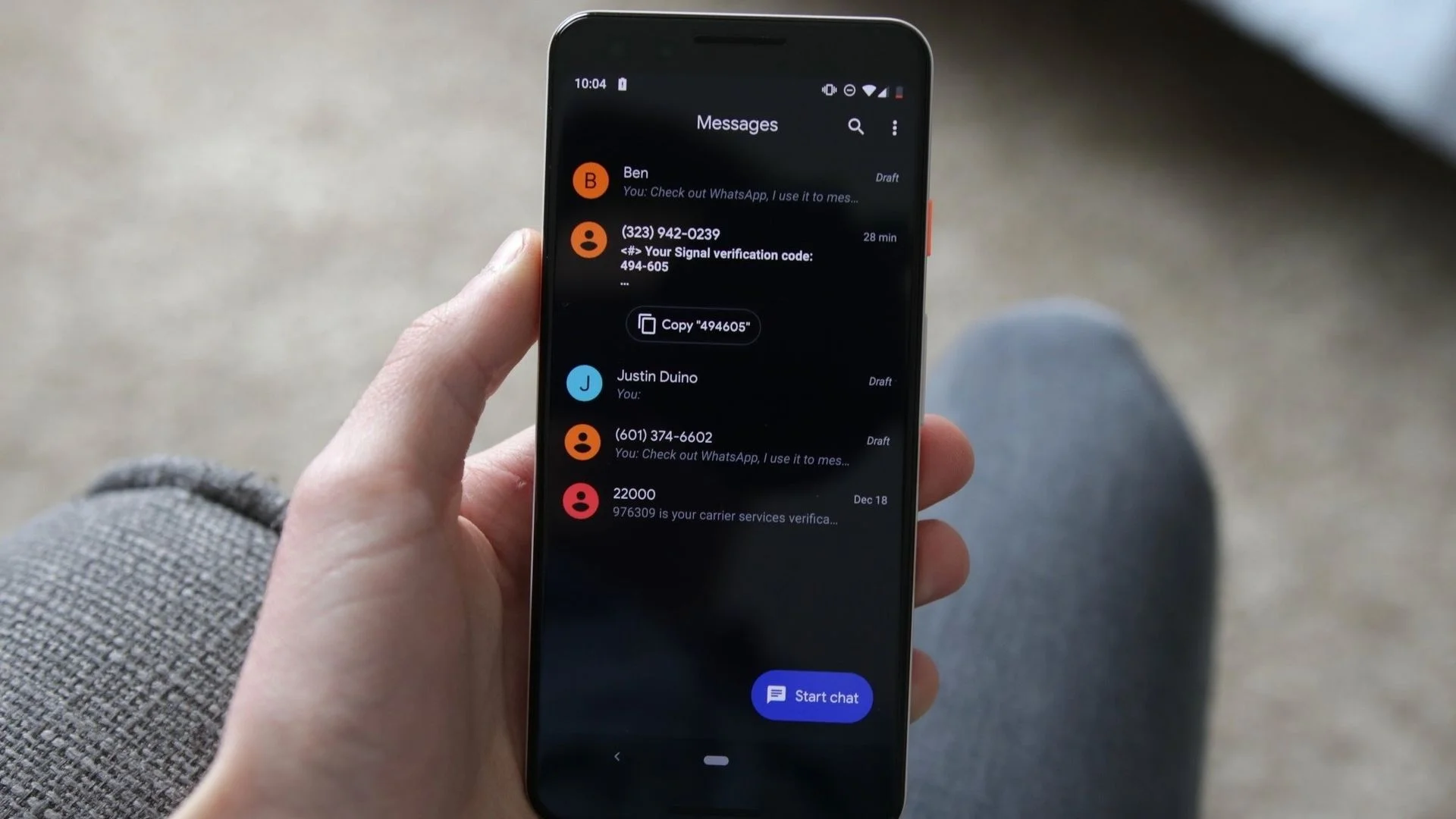
Google Messages has recently embarked on a significant updates rollout, targeting user interaction improvements for Android devices. Mobile messaging applications have become vital components of daily communication, so these enhancements are more than just cosmetic changes; they reflect ongoing efforts to meet evolving user needs. One of the most striking adjustments is the introduction of a new long-press menu that now appears right beside the selected message bubble. This replaces the older toolbar setup with a floating interface that aims to offer an intuitive experience for users seeking to manage their messages quickly.
A Closer Look at the Long-Press Menu
This updated long-press menu provides quick shortcuts for actions such as Reply, Forward, Copy, Star, Delete, and enhanced options for media such as images. In an age where so much of our communication occurs through pixels rather than paper, these features can considerably streamline the user experience. Users have found that this redesigned menu enhances clarity and speed, particularly through the innovative technique of blurring the conversation background. This relatively simple visual adjustment may seem small, but it significantly helps users hone in on currently selected actions and fosters a more concentrated messaging experience.
It's interesting to consider how this type of simplified interface ties into broader trends within app design. Many messaging applications tend to simplify options to improve user experience. What does that mean for competitors? If you're working in this space, you know how critical it is to stay relevant. A user-friendly design isn't just a nice-to-have—it can be a differentiator in a saturated market.
Snippets of Text: A New Level of Precision
Another innovative change introduced with this update is the capability to select specific snippets of text within messages. This feature lets users isolate and copy portions of messages rather than extracting entire texts, which often leads to cumbersome results. For example, if users need to share a phone number or an address quickly, they can simply hold down on the section of interest and drag the selection handles. This targeted approach aligns well with the increasing need for efficiency in communication. With multitasking becoming the norm, nobody wants to sift through a long message chain to find a single vital piece of information.
Google has confirmed that this functionality extends beyond text alone, with support for various types of content, including images, videos, and contact details. By diversifying what users can isolate with ease, Google is not only enhancing the usability of the app but also promoting more effective communication. It’s noteworthy how Google's decisions may influence user behavior; ease of access often leads to increased feature usage, which may be a clever move to keep users more engaged.
Gesture Controls: Navigating Effortlessly
Gesture controls are also evolving in Google Messages, providing new swiping actions that facilitate seamless message navigation. For instance, swiping left can reveal timestamps and RCS (Rich Communication Services) encryption statuses, while swiping right allows users to send instant replies. Tapping on messages, meanwhile, can show read receipts. These simplifications contribute to an intuitive user interface, reducing the friction usually associated with messaging apps.
These rapid interactions really come into play during lengthy conversations, where message timing and readability are paramount. Navigating through a busy chat without losing track of critical points is often challenging, but these updates appear to simplify that process, allowing users more comprehensive visibility without unnecessary complexity. The impact is far-reaching; efficiency in communication can promote deeper connections and quicker resolutions to everyday topics.
Implications and Future Outlook
The significance of these updates extends beyond mere aesthetics or functionality adjustments; they symbolize a response to user expectations for efficient and user-focused communication tools. Google seems aware of the competitive landscape within messaging platforms. As other apps also vie for attention, it's not just about being feature-rich but understanding how these features enhance the user experience.
As these updates roll out, users should keep in mind that their availability may vary depending on server updates linked to recent Google Messages versions. What this means for you is that while some might benefit from the changes immediately, others might experience a delay in access. The rollout strategy reflects an ongoing trend in tech deployments, where gradual updates can sometimes be preferable to sudden large-scale changes.
And here's the thing: if these features resonate well with users, we may anticipate Google further refining this messaging format, possibly integrating even more capabilities in future iterations. The success of these adjustments could motivate competitors to either innovate further or risk being left behind.
This shift in Google Messages not only enhances user interaction but also draws attention to a larger conversation about how communication tools adapt to the complexities of modern life. If Google continues to innovate along these lines, it will reinforce its position in the messaging sphere and shape how similar platforms evolve. For developers and users alike, the implications could be significant. Good luck keeping up.

Discussion
Sign in to join the discussion.